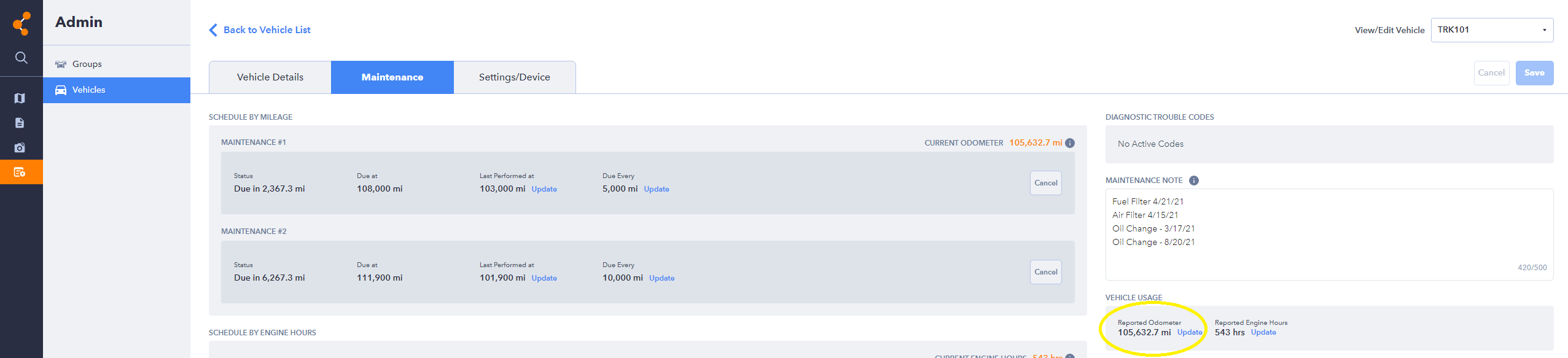
The odometer is recorded at installation and updates automatically as the vehicle is driven. Some drift from the vehicle's actual odometer is normal, as mileage is calculated using GPS data. You can manually correct the reading at any time.
How to Update an Odometer Reading
Go to Admin → Vehicle Admin and select the vehicle you want to update.

Select the Maintenance tab.

Under Vehicle Usage on the right side of the screen, click Update next to Reported Odometer.